Become an AI-Native Engineer
Learn Claude Code, coding agents, context engineering, agent loops, and verification-first development — before you enter the job market.
AI coding has moved beyond autocomplete. Modern tools like Claude Code, Cursor, GitHub Copilot, and coding agents can inspect repositories, plan changes, edit code, run tests, debug failures, and prepare pull requests. This hands-on workshop helps engineering students understand how software development is changing — and how to build the skills companies expect from AI-native engineers.
You'll learn how to give AI the right context, guide it through a disciplined loop, verify its work with tests, and build a stronger project portfolio for internships, placements, and early-career roles.
3–4 hours
Half-day format
Hands-on
Claude Code + coding agents
For students
CS · IT · MCA · AI-ML
Career-ready
Projects · Tests · Portfolio · Interviews

Led by Ritesh Vajariya
Founder, AI Guru
Formerly AWS, Cerebras Systems, and Bloomberg · Author of the forthcoming book AI-Native Engineer. Nearly two decades across AI, cloud, generative AI, and enterprise AI adoption — now teaching practical AI engineering skills to students, engineers, and organisations.
10,000+
Trained on Claude prompt engineering

Delivered by
Ritesh Vajariya
Founder, AI Guru · Author, AI-Native Engineer (forthcoming) · Harvard Business School alum
Two decades in enterprise AI, cloud, and GenAI adoption — from Amazon Web Services (led AI go-to-market, $700M+ in AI revenue) to Cerebras Systems (global GenAI strategy during the foundation-model boom) to Bloomberg (architected core systems for BloombergGPT). Now teaches engineering students the discipline behind modern coding agents — before you enter the job market.
Claude prompt engineering
10,000+ trained
Trained globally
200K+ across 4 continents
Prior
AWS · Cerebras · Bloomberg
Runs the Claude Code Mastery Program for working engineers — this student workshop is the campus edition of that discipline, tuned for placement readiness and portfolio building. Practitioner tone throughout — not a professor reading from a textbook.
Not new to Indian campuses
Full-hall workshop sessions at Indian engineering colleges
Ritesh has run campus workshops with hundreds of engineering students. The AI-Native Engineer student edition is calibrated specifically for the placement-preparation cohort.
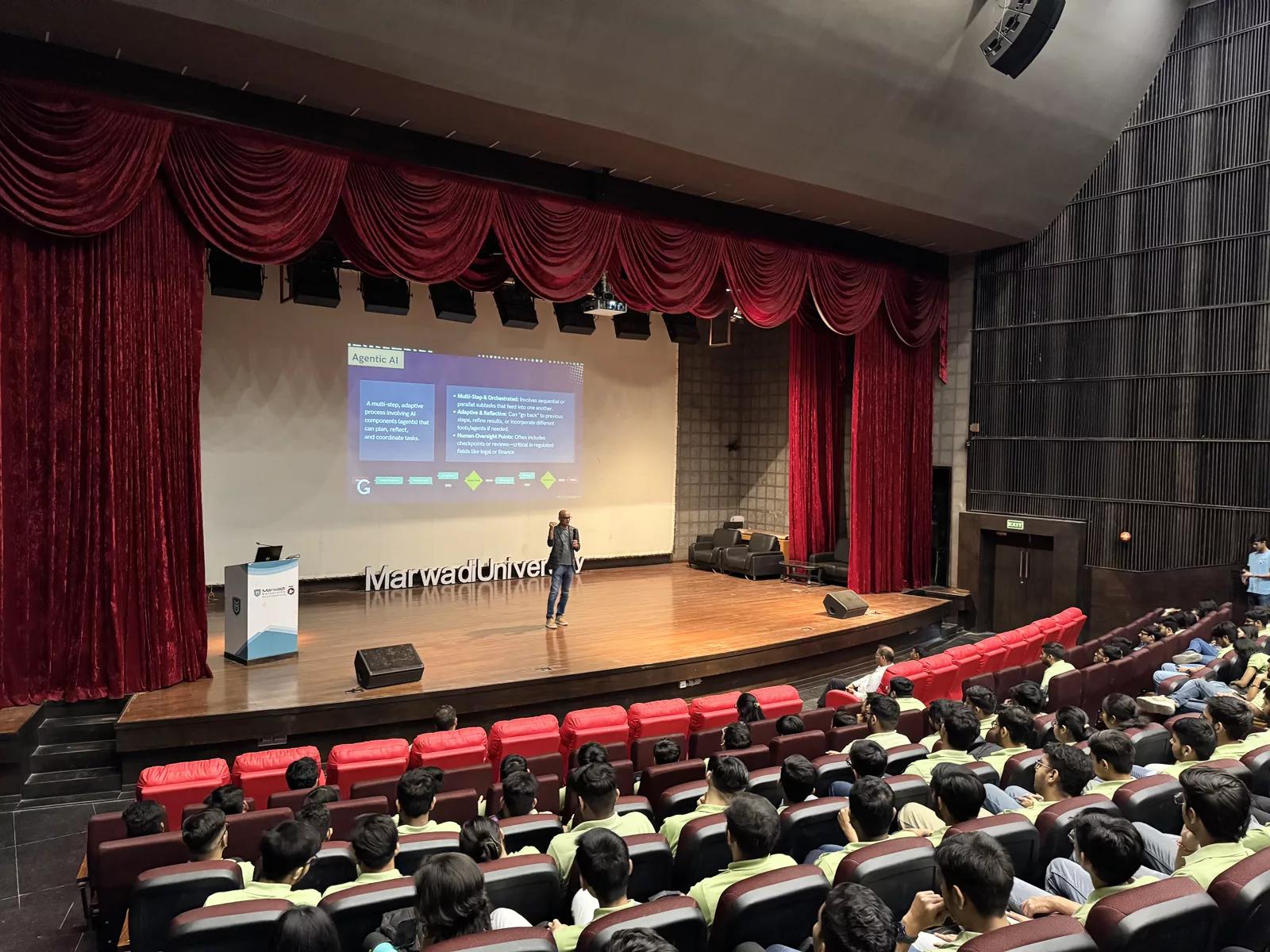
Campus workshop · Marwadi University
Full-hall session · India
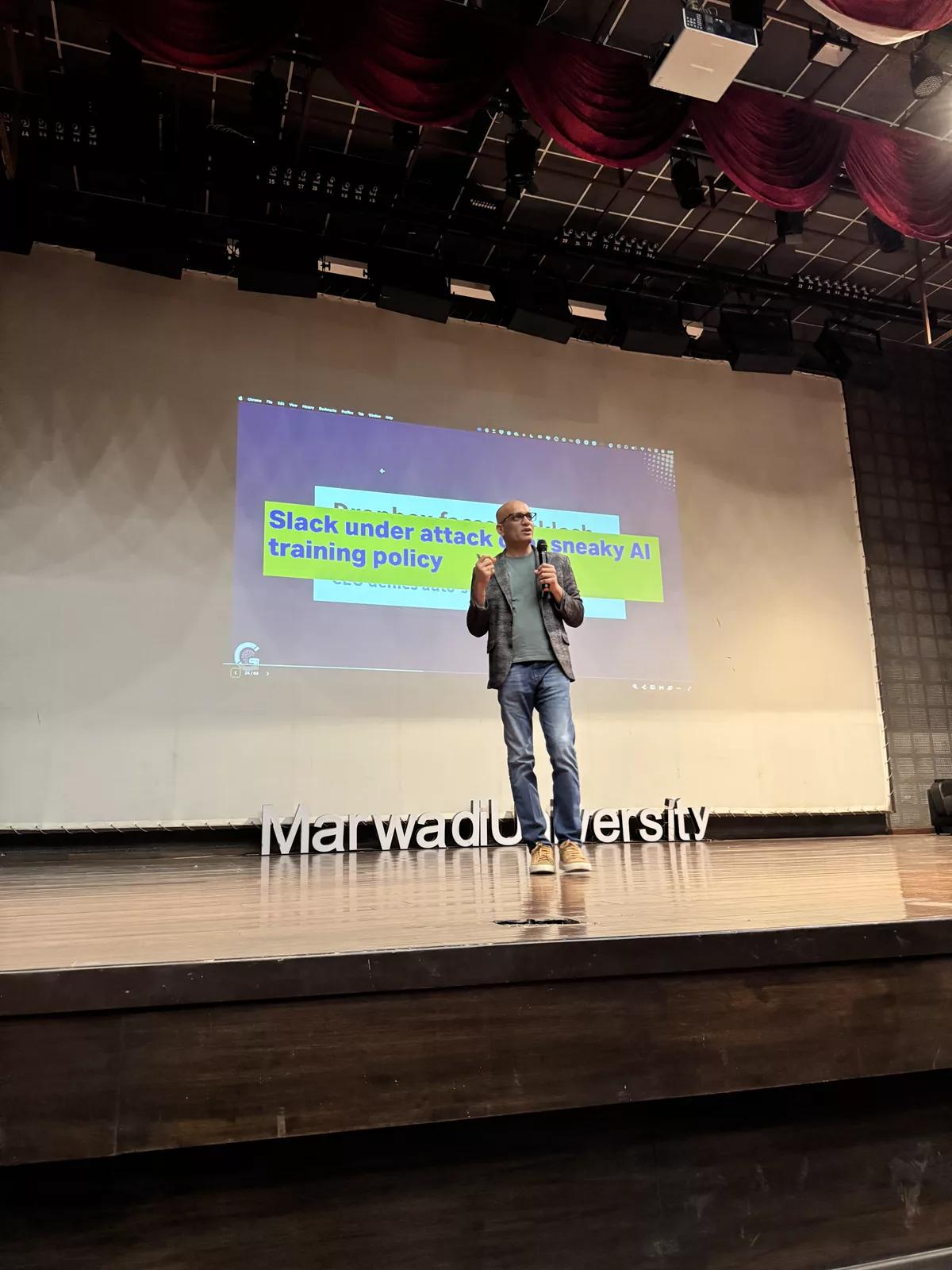
On stage
Indian campus session
Why this workshop exists
The engineering job market is changing
Companies are no longer only looking for students who can write code from scratch. They increasingly value engineers who can use AI tools responsibly, understand systems, write better specifications, test their work, review AI-generated code, and ship reliable software.
Many students already use ChatGPT or coding assistants. But using AI casually is not the same as becoming an AI-native engineer. This workshop teaches the discipline behind modern AI-assisted software engineering.
01
Coding is changing
AI tools can now help with planning, implementation, debugging, refactoring, tests, and documentation. Your workflow will look different from what CS classes still teach.
02
Engineering judgment matters more
Students must learn how to verify AI-generated work — not blindly trust it. The engineer who can review AI code will out-hire the one who can't.
03
Projects need to show real skill
Placement-ready students need stronger GitHub projects, tests, documentation, and evidence of engineering discipline — not just ‘I asked ChatGPT.’
The signature framework
The AI-Native Engineering Stack
Four skills every AI-native engineer must learn. Teachable in one glance, durable for your entire career.
Context
Give AI the right information
You'll learn how to feed the coding agent the repo structure, requirements, constraints, existing code, test expectations, and acceptance criteria — before writing a single prompt.
- →Project README
- →Feature requirement
- →Coding standards
- →Database schema
- →API routes
- →Failing tests
- →What NOT to change
Loop
Guide the agent step by step
Move past one-line prompts. Practice a disciplined loop: Read → Plan → Act → Observe → Fix → Verify → Stop. This is what separates a student who “used ChatGPT” from an engineer who used AI.
- →Ask for a plan before code
- →Approve small changes
- →Run tests after every change
- →Inspect errors carefully
- →Fix with evidence
- →Stop when acceptance criteria pass
Harness
Set boundaries for AI work
AI tools need rules. Permissions, approvals, safe branches, no secrets in prompts. The harness is what keeps agents from wrecking your project — or your reputation.
- →Don't edit everything at once
- →Never expose secrets to the model
- →Review risky changes carefully
- →Use git branches, not main
- →Keep changes small
- →Understand what the tool can — and cannot — do
Verification
Prove the code works
Tests, reviews, and evidence matter more in the AI era, not less. “It runs on my laptop” is not proof — an evidence bundle is.
- →Unit tests
- →Integration tests
- →Linting
- →Security checks
- →PR summaries
- →Manual review
- →Evidence bundle for your professor / interviewer
Weak — one-line prompt
Build a login page.
No context. No plan. No tests. Even if the code compiles, you can't defend it in an interview.
Strong — agent loop
wait for approval → implement small diff →
run tests → fix failures → summarize
evidence → stop when acceptance criteria pass.
Context, loop, harness, verification — all four, all present. Now you can explain what you did.
Learning outcomes
What you will learn in this workshop
How AI coding tools are changing software engineering
How to use Claude Code and coding agents effectively
How to write AI-ready feature briefs
How to ask AI to inspect a codebase before writing code
How to guide AI through a plan-first development loop
How to use tests as guardrails for AI-generated code
How to review AI-written code without getting fooled
How to create better GitHub projects for placements
How to explain AI-assisted projects in interviews
How to start building your identity as an AI-native engineer
Sample agenda
3–4 hour hands-on agenda
Designed as a practical campus workshop. Short teaching segments, live demos, and hands-on exercises. For a shorter 3-hour event, the last two sessions can be compressed.
| 0:00–0:20 | The AI-Native Engineer: What Changes for Students |
| 0:20–0:50 | Claude Code, Cursor, Copilot, and Coding Agents |
| 0:50–1:35 | Hands-on: Build a Feature with Claude Code |
| 1:35–1:50 | Break |
| 1:50–2:25 | Context Engineering: Turning a Task into an AI-Ready Brief |
| 2:25–3:00 | Verification-First Development: Tests, Reviews, and Evidence |
| 3:00–3:30 | Career Playbook: Projects, GitHub, Internships, and Interviews |
| 3:30–4:00 | Q&A + Registration for Next Steps |
The hands-on centrepiece
You will see how a real AI coding workflow works
The hands-on segment is not about asking AI to “build an app.” You'll learn a disciplined workflow that mirrors how modern engineers use coding agents in real projects.
- 1Start with a feature request
- 2Ask Claude Code to inspect the project
- 3Ask it to summarize the current architecture
- 4Convert the task into an AI-ready engineering brief
- 5Ask for an implementation plan before code
- 6Approve a small, scoped change
- 7Let the agent edit files
- 8Run tests and inspect failures
- 9Ask the agent to fix with evidence
- 10Create a PR-style summary
- 11Review the final diff manually
Claude Code is powerful. The engineer owns the loop.
That's the message. That's the discipline.
What you leave with
Six things you take home from the workshop
AI-ready engineering brief
A template for turning vague project ideas into clear tasks an AI coding agent can execute.
Agent-loop playbook
A step-by-step workflow for using Claude Code or similar tools without losing control of the code.
Verification checklist
A checklist for reviewing AI-generated code using tests, linting, review, and evidence.
Project portfolio guidance
How to improve GitHub projects so they show real engineering skill — not just AI outputs.
Interview talking points
How to explain AI-assisted development in interviews without sounding like you outsourced your work.
Certificate of participation
A digital AI Guru® Certificate for students who attend and complete the session — LinkedIn-shareable.
Every attendee receives
AI Guru® Certificate of Participation
Signed by Ritesh Vajariya, Founder of AI Guru. Issued digitally after the workshop — LinkedIn-shareable, printable, and verifiable via a QR code on the certificate itself.
Preview shown — your certificate will carry your name and the event date.
Curated audience
Who should attend
Good fit
- ✓You are a CS / IT / MCA / AI-ML / Data Science student
- ✓You have written code before
- ✓You use GitHub or want to improve your GitHub profile
- ✓You are preparing for internships or placements
- ✓You want to learn modern AI coding workflows
- ✓You have used ChatGPT, Copilot, Cursor, or Claude and want to go deeper
- ✓You want to build stronger projects
- ✓You want to understand what companies expect from engineers in the AI era
Not a fit
This is not a zero-coding AI awareness session. You don't need to be an expert, but you should have basic coding familiarity and interest in software development.
For colleges & student communities
Host this workshop at your campus
AI Guru can run this workshop as a campus program for engineering colleges, CS/IT departments, placement cells, coding clubs, startup cells, and alumni associations.
Delivery formats
- →Student-only campus workshop
- →Placement-readiness session
- →Coding club event
- →Alumni-led upskilling event
- →Lab-based hands-on session
- →Auditorium-based demo + learning session
Venue requirements
- →Seminar hall, auditorium, or computer lab
- →Capacity: 40–100 students
- →Projector / screen
- →Mic / speakers for larger rooms
- →Stable Wi-Fi preferred
- →Students bring laptops for hands-on version
We'll respond within 3 business days with format options, dates, and pricing.
Register your interest
Register for the student workshop
Fill out the form below to register your interest. We'll share workshop date, venue, seat confirmation, and preparation instructions by email or WhatsApp.
Questions
Frequently asked questions
Do I need to know Claude Code before attending?+
No. We'll introduce the workflow during the session. Prior experience with Claude Code is not required.
Do I need coding experience?+
Yes — basic coding familiarity is recommended. This is NOT a zero-coding AI awareness session. Students who have built small projects or used GitHub will get the most value.
Is this only for final-year students?+
No. Final-year and pre-final-year students are the best fit, but motivated 1st and 2nd year students with coding interest can also register.
Will I need a laptop?+
For hands-on sessions, yes. Bring a laptop with a code editor installed. If the college runs the session in demo-only mode, laptops may be optional.
What tools will be covered?+
The primary hands-on example uses Claude Code. We'll also discuss Cursor, GitHub Copilot, and the broader discipline of coding agents.
Will I receive a certificate?+
Students who attend the full workshop and complete the required participation steps receive a digital AI Guru® Certificate of Participation — LinkedIn-shareable and printable.
Is there a fee?+
It depends on the host college and event format. Some campus sessions are free for host-institution students; others may have a nominal registration fee to manage attendance and logistics.
Can my college host this workshop?+
Yes. Colleges, departments, placement cells, coding clubs, and alumni groups can contact AI Guru to host the workshop for 40–100 students. Use the “Invite AI Guru to Your Campus” CTA on this page.
2026 Campus Edition
Ready to become an AI-native engineer?
Register your interest for the student workshop and get updates on upcoming campus editions, preparation instructions, and seat availability.